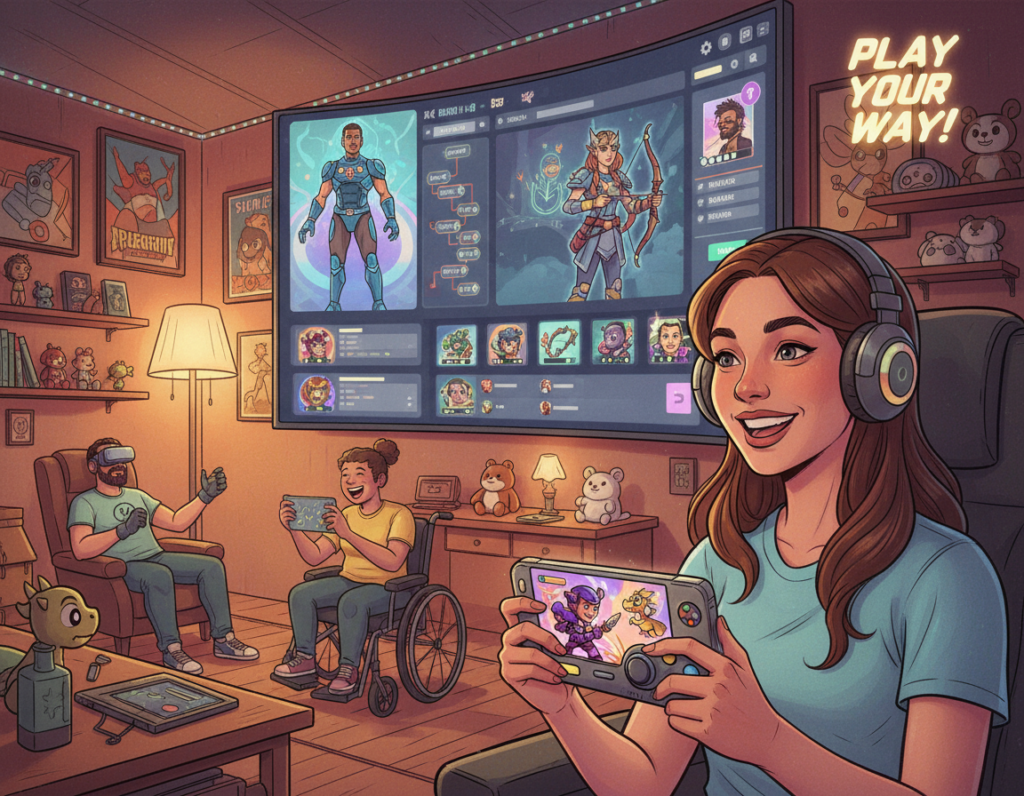
Video games should invite everyone to play. Developers who prioritize accessible design help people with varied abilities enjoy the same experience as other players.
The goal of game accessibility is simple: remove barriers so more gamers can interact with titles in a meaningful way. This includes clear visual and audio cues, adjustable text and controls, and flexible settings for different users.
Accessible video games broaden the audience and reflect a commitment to equal opportunity. Tools like adaptive controllers and customizable options show how design choices make a real difference.
Feedback from communities and specialists guides developers as they refine controls, audio cues, and device support. Strong accessibility practices help ensure every game respects the needs of its players.
The Growing Necessity of Gaming Accessibility Features
The 2020 surge in play made one point clear: many video games were not built for everyone. A PopCap study found about one in five casual gamers has a physical, mental, or developmental disability.
That stat pushed developers and the gaming industry to act. By adding robust accessibility options early, teams can craft a better gaming experience for a wider audience.
Practical changes include flexible text and UI, adjustable audio and visual settings, and remappable controllers. These updates help people with hearing or visual impairments and other diverse needs.
When studios plan these elements from the start, users report higher satisfaction and loyalty. Ongoing feedback loops with players guide refinements and ensure essential cues and controls work across devices.
- Broaden reach by designing with diverse players in mind.
- Prioritize early integration to reduce costs and improve quality.
- Use community feedback to refine settings and options.
Understanding the Diverse Needs of Modern Players
Developers now face a clear reality: players vary greatly in how they perceive and control a game. Understanding those differences helps teams build better video games for more people.
Sensory Impairments
Sensory needs include people who are visually impaired or who have hearing loss. Developers can add options that change text size, contrast, and audio cues to help these users.
Example: adjustable subtitles, volume controls for speech versus effects, and visual indicators that mirror sound cues.
Cognitive and Motor Challenges
Cognitive impairments and motor impairments create different barriers. Players may need slower pacing, clearer instructions, remappable controllers, or alternate input devices.
Design that lets users change settings and controls improves the overall experience for disabled gamers and other players with varied needs.
“Community feedback often reveals small barriers that developers miss in testing.”
- 31% of US players identify as disabled, making inclusion a priority.
- Offer adjustable text, audio cues, and control mappings.
- Test across devices and solicit feedback from real users.
By acknowledging diverse needs, developers create games that welcome more people and sustain lasting player engagement.
Core Principles of Inclusive Game Design
Design teams achieve inclusion by following proven guidelines and user input. The Game Accessibility Guidelines were built by developers, specialists, and academics to share best practices for the industry.
Core principles ask game developers to bake accessibility into early planning. Doing so reduces costly redesigns and makes the final video game smoother for all players.
A practical example is clear audio cues and customizable settings. These options let users tailor sound, text, and control mappings to their needs.
- Prioritize users: design for people with disabilities from the start.
- Offer choices: adjustable text, controllers, and devices improve the experience.
- Use feedback: loop with real players to refine cues and settings.
When developers follow accessibility guidelines and keep feedback channels open, games become more equitable and enjoyable for more gamers and players.
Visual Accessibility Strategies for Low Vision Gamers
Small UI changes can transform how low vision players experience a game. These changes focus on text, contrast, and icon clarity so people with limited sight can follow objectives and cues.
Adaptive Text and UI
Adaptive text lets users resize type, choose fonts, and toggle UI scale. This keeps important labels readable without crowding the screen.
Developers should provide multiple settings so players tailor the display. Test UI across devices to ensure legibility on phones, consoles, and PCs.
High Contrast Modes
High contrast modes and colorblind-friendly palettes help visually impaired players pick out enemies, items, and paths. This is a good example of a simple change with large impact.
Offer preset palettes and a custom slider so users match the display to their needs.
Clear Iconography
Icons must be distinct, labeled, and scalable. Clear symbols reduce confusion and speed recognition for all gamers, including those with disabilities.
“Feedback from impaired gamers pinpoints which colors and shapes work best.”
- Provide adjustable text and UI scale.
- Include multiple contrast palettes and color options.
- Label icons and test with real users for reliable feedback.
Result: When video games include these visual choices, the player experience becomes fairer and more engaging for low vision users.
Implementing Audio Cues and Alternatives
Effective cueing pairs sound with visible signals so no player misses critical events. In a game, audio cues must have clear visual counterparts for players hearing impaired and for people in loud environments.
Game developers should add text alternatives and icons that mirror key sounds. A good example is shooter titles that show directional flashes or markers when an enemy approaches. This helps impaired gamers track threats without relying on sound.
Offer granular audio sliders for separate channels so dialogue stays distinct from music and effects. Let users mute or boost channels in settings and test those options across devices.
“Community feedback ensures cues translate well into visual info.”
- Provide subtitles and text logs for all spoken content.
- Use color-coded or directional indicators for critical audio events.
- Give users per-channel audio controls and visual toggles.
These accessibility features create a stronger game experience for all users and show developers’ commitment to inclusive design.
Enhancing Motor Accessibility Through Hardware
Adaptive hardware shifts the focus from what players cannot do to what they can control.
Adaptive Controller Innovations
Hardware such as the Xbox Adaptive Controller (released in 2018) shows how design solves real problems for people with motor impairments.
The device offers large programmable buttons and many ports for external devices, so users can assemble inputs that match their bodies and needs.
- Custom inputs: remappable buttons and external device support let players tailor controls.
- Broader device support: connectors for switches, joysticks, and mounting gear expand options.
- Developer responsibility: games must allow remapping and flexible settings so these controllers work as intended.
- Community feedback: ongoing testing with users and specialists refines hardware and software pairing.
Investing in adaptive controllers removes barriers for many players and improves the overall game experience for users with severe physical disabilities.
Software Solutions for Motor Impairments
Software can bridge gaps for players who struggle with fine motor control. Simple menu options let users change input timing, sensitivity, and mapping so a game fits their body and skill.
Remappable controls and adjustable sensitivity help people interact with video games without extra hardware. Button hold delays, toggle modes, and aim assist are common options that reduce strain.
The gaming industry is moving toward these software-led fixes. EA, for example, announced five patents related to accessibility to be offered free to developers. That step shows how a video title can add value with code, not only new devices.
Developers should test menus with real users and collect feedback to refine controls. Community input reveals which settings work best and which cues need tweaking for players disabilities.
- Practical gains: more playable games without extra controllers.
- Design focus: flexible control schemes and clear settings.
- Outcome: a fairer experience for more users across devices.
Addressing Cognitive Accessibility in Game Mechanics
Many players learn best when a game meets them where they are. Clear, flexible mechanics reduce frustration and invite longer play sessions.
Adjustable Difficulty Settings
Adjustable difficulty settings let users choose challenge levels without stigma. Sliders, presets, and mode tags help players match difficulty to skill.
Good examples include conditional hint systems, simplified enemy behavior, and optional time extensions. These options support players with cognitive impairments and those who need different pacing.
Replayable Tutorials
Replayable tutorials give users a low-pressure way to learn rules and controls. Short, segmented lessons with checkpoints make it easier to absorb mechanics.
Optional prompts, visual cues, and repeatable practice modes reduce cognitive load and reinforce objectives. Developers who add these options improve the overall game experience for diverse users.
- Offer optional hints and reminders that can be toggled on or off.
- Design concise text and icon cues to lower memory demands.
- Collect community feedback to refine settings and tutorial pacing.
The Role of Feedback and Community Testing
Real-world testing with diverse users makes game accessibility practical and measurable.
Community input gives game developers direct insight into barriers that lab tests miss. Engaging disabled gamers and players reveals issues with text, audio, controls, and timing.
Feedback helps teams prioritize changes that improve the play experience for more people. Organizations like AbleGamers, founded in 2004, provide a clear example of how advocacy and outreach shape better outcomes.
- Validate settings and options with real users.
- Test remapping, audio cues, and text clarity across devices.
- Make iterative updates based on ongoing feedback loops.
Adopting these best practices reduces costly rework and ensures accessibility features meet user needs. Continuous dialogue between developers and the community keeps games evolving and more welcoming to all players.
Navigating Government Regulations and Compliance
Regulatory rules shape how in-game communication must work for people with sensory impairments.
Legal standards affect how developers build chat, voice, and text tools in video games.
Section 508 of the Rehabilitation Act requires schools and universities that receive federal funds to make electronic systems accessible. The FCC also mandates that in-console communication be usable by players with hearing or other sensory disabilities.
Legal Standards for Communication
For game developers, following game accessibility guidelines reduces legal risk and expands reach.
Examples include providing text alternatives, adjustable audio cues, and captioned voice chat so all users can participate.
- Keep documentation that shows compliance and testing with real users.
- Consult legal experts and community feedback when designing communication tools.
- Update settings and controls to meet changing rules and player needs.
Complying with law is both a legal duty and a clear way to improve the player experience.
Leveraging Assistive Technologies and Peripherals
Third‑party tools and charity-led mods often bridge gaps that default controllers cannot address. Organizations such as SpecialEffect modify controllers and eye‑motion software to help people with severe motor impairments play the same games as others.
Support for these devices ensures that the gaming industry’s accessibility work reaches real users. Developers who test compatibility with adaptive controllers, switches, and eye‑tracking make their game more usable out of the box.
Community feedback shapes continued innovation. Players and clinics report what works, which guides design tweaks, audio cues, text options, and controller mappings.
- Partner with charities and clinics to fund and test hardware.
- Build flexible input mappings so diverse devices function correctly.
- Document compatibility and offer in‑game guidance for custom setups.
“Modifying controllers and software gives many people a path back into play.”
Success Stories in Accessible Game Development
Industry benchmarks and grassroots mods prove that thoughtful design delivers both reach and reward. These successes show how game accessibility can be built into a video game and into community tools.
Benchmark Titles
The Last of Us Part II set a new bar. Naughty Dog shipped more than sixty presets, including text-to-speech and high-contrast modes. This title demonstrates how following game accessibility guidelines and best practices can shape public expectations.
Modding Communities
Modders extend reach where official builds fall short. Hearthstone Access is a clear example: it uses audio cues to let blind and low vision players compete on equal footing.
- Result: games gain critical praise and wider audiences.
- Lesson: game developers who study these examples learn practical design and game design tactics.
- Impact: players with motor impairments or cognitive impairments report better gaming experience.
“Celebrating these wins encourages more creators to prioritize accessibility.”
Conclusion
A truly inclusive game treats diverse players as a design priority, not an afterthought.
Following established accessibility guidelines helps developers build games that reach more gamers and improve the play experience for everyone. Concrete steps—clear UI, audio alternatives, and flexible control mappings—reduce barriers for players with varied needs.
Research shows genre and mode affect how many in‑game accessibility options appear, with motor support needing special attention. Advocacy and community feedback will keep driving new solutions.
Continued investment in inclusive design ensures that video titles remain spaces of connection and joy for all players and people with disabilities.